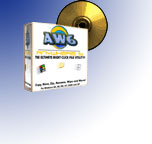
AnyWhere 7 Pro - Only 99¢!
The Ultimate Right-Click File Utility!

Imagine a program that allows you to do the things you need to do, quicker and
easier than ever before. One that gives you all the tools you need to manage your filesystem,
just by right clicking on files in Windows! One that
allows you to save time, effort and confusion, as well as protect the security
of your sensitive data.That tool is AnyWhere Pro!
 With AnyWhere 7 Pro, you're in command of powerful file management tools available by
simply right clicking on files and folders you'd like to copy, move, zip, rename, and
securely delete.
With AnyWhere 7 Pro, you're in command of powerful file management tools available by
simply right clicking on files and folders you'd like to copy, move, zip, rename, and
securely delete.
You can also easily copy filenames to the clipboard, replace text within many files at once and make groups of files and folders writeable. AnyWhere 7 Pro runs on any version of Windows and is available now for for just 99¢ USD.
AnyWhere Can Do All This Just By Right-Clicking in Windows


- Copy, Move and Zip files with AnyWhere's original, award-winning tool. Right click on the files you'd like to work with and choose AnyWhere 7 Pro. You're presented with a list of folders on your system, as well as the AnyWhere Favorites folder and the Recent Files folder, which stores the last 10 folders you've used. Then, simply click Copy, Move or Zip to finish.
- Securely Delete Files such as bank account numbers, credit card numbers, proprietary corporate infomation, and other sensitive details with the Wipe Files tool. Did you know that when you delete a file in Windows, it can still be recovered by hackers, law enforcement and competitors? AnyWhere will completely and securely remove files from your machine using algorithms based on the rules used by the US Department of Defense for securely deleting files, protecting your valuable data from prying eyes.
- Replace Text Within Multiple Files. Like the Find & Replace tool in your favorite word processor, but better because it works across many files - all from one right click!
- One Click Copy/Move allows you to copy or move files to your AnyWhere Favorites folders with even less effort.
- Copy Long/Short Filenames to the Clipboard. Have you ever needed to copy filenames to the clipboard? AnyWhere allows you to copy long (windows style) or short (DOS style) filenames to the clipboard, ready to be pasted in any application.
- Easily Rename Groups of Files. Have you ever had many files with meaningless filenames (such as files from a digital camera)? Rename them quickly and easily to full, meaningful names with the PowerFile Renamer! (Formerly Power Rename)
- Make Groups of Files Writeable. Groups of files and folders that are Read-Only can easily be made writeable with one right click.
Animated Demos
Check out how AnyWhere works without downloading a thing with these movies:
DEMO: Click here to see
how easy it is to copy and move files with AnyWhere!
DEMO: Click here to see
how easy it is to zip files with AnyWhere!
DEMO: Click here to see
how easy it is to securely delete files with AnyWhere!
DEMO: Click here to see
how easy it is to replace text in files with AnyWhere!
DEMO: Click here to see
how to activate AnyWhere after purchasing!
Other New Features in AnyWhere Pro
AnyWhere 7 Pro also boasts these new improvements to previous versions
- New in 7.0! Now works with Vista! AnyWhere has been updated to work with Microsoft Vista and the upcoming Windows 7.
- New in 7.0! Improvemenmts to Wipe Files Fixed a loophole and improved the responsiveness of the program while wiping files.
- New in 6.2! Increased Performance. AnyWhere is faster and easier to use than ever with performance enhancements.
- New in 6.2! More stable! We have fixed a bug that affected a few user by crashing Windows Explorer periodically. AnyWhere is now completely stable and crash-free!
- New in 6.2! New Startup Interface. AnyWhere now comes with a new startup icon in the Start Menu with animated movies to help you learn to use AnyWhere.
- New in 6.3! Keyboard Shortcuts Key combinations for keyboard shortcuts are now clearly defined in menus.
- New in 6.3! New Help Files AnyWhere Help now includes animated demos to help you get started.
- New in 6.3! More Technical Support Options Technical Support options are now available from the Help menu.
- New in 6.3! New Help Files AnyWhere Help now includes animated demos to help you get started.
- AnyWhere is Resizable! Our biggest request, the main window in AnyWhere is now resizable. Resize the window, and the folder view and buttons resize with it.
- New Recent Folders folder. AnyWhere now includes a Recent Folders folder, which keeps track of the last 10 folders you've copied, moved or zipped files to. To send more items to that folder, simply choose it from the Recent Folders folder!
- It's Official! AnyWhere 7 is now an Approved Shell Extension for Windows 2000, Windows XP and Windows Vista.
AnyWhere 7 Pro - 15 day demo - Download it Now:
FREE DOWNLOAD: AW70Pro.exe (1.08 MB)
Buy
it Now!
Buy AnyWhere 7 Pro right now via our secure, online order form.
30-day, 100% money back guarantee if you're not completely satisfied.
While you're downloading... Browse the online help.
 PCWorld Editor's Pick, Twice! |
 |
 |
 |
 |
 |
 |
 |
 |
 |
 |
AnyWhere 7 Pro Minimum Requirements: Windows 7, Windows Vista, Windows XP, Windows 2003 Server, Windows 2000, Windows 98, Windows 95 (with Internet Explorer 4.1 or greater), or Windows NT with Service Pack 6a or greater, with 5 MB of available disk space.